The config is complete but still work in progress as I am new to lua and slowly learning vim stuffs. I'll keep adding new features like snippets etc and clean the config , make neovim (cli version) as functional as an IDE while being eyecandy.
# Screenshots -


# Very Useful lua plugins used in my config -
#### lspkind-nvim
This tiny plugin adds vscode-like pictograms to neovim built-in lsp completion items :

#### nvim-tree.lua
fast file tree :

### telescope-nvim -
A fuzzy file finder, picker, sorter, previewer and much more:


### galaxyline -
fastest statusline plugin I've used so far:

### gitsigns.nvim -
Shows git signs of a repo on the signcolumn to indicate diffs/changes etc (needs plenary.nvim)
### nvim-bufferline.lua -
As a top bufferline like thing which lets me handle tabs like switching, closing tabs.

### nvim-web-devicons -
Lua fork of vim devicons which lets me change icons of filetypes

### nvim-treesitter
Better syntax highlighting for programming languages ( my config just has html,css,js support for now ).
without Treesitter :
 with Treesitter :

# Guides to migrate to init.lua -
- https://github.com/nanotee/nvim-lua-guide
- https://alpha2phi.medium.com/neovim-init-lua-e80f4f136030
- https://oroques.dev/notes/neovim-init/
- https://icyphox.sh/blog/nvim-lua/
# Clone my setup -
- Install neovim-nightly , also use a nerdfont on your terminal.
- Install packer.nvim
```shell
git clone https://github.com/wbthomason/packer.nvim\
~/.local/share/nvim/site/pack/packer/start/packer.nvim
```
- copy all config files in from this repo except ( plugin folder as it has config related to my system's username! )
- Open neovim and install all plugins , :PackerInstall and :TSUpdate
- Install language servers and prettier ( for autocompletion etc and code formatting , nodejs should be installed too!)
```
sudo npm install -g vscode-html-languageserver-bin typescript typescript-language-server vscode-css-languageserver-bin prettier
```
To setup any language server , follow this guide https://github.com/neovim/nvim-lspconfig/blob/master/CONFIG.md and search up the needed LSP. For example if I needed clangd's lsp server :
 I'd install it first and add its setup line :
`` -- in /lua/nvim-lspconfig/lua.lua file
require'lspconfig'.clangd.setup{} ``
# Default Mappings to make stuffs easier!
space is the leader key
- Ctrl b Open terminal vertically over right
- Ctrl x Open terminal horizontally below the current window
- Ctrl n toggle neovim tree
- Ctrl a copies everything in the current file
- select any text + y copies the selected text
- leader + f b open all buffers , with telescope
- leader + f p search and preview images with telescope
- leader + f f find files in the current DIR , with telescope
- leader + f o open recently edited files , with telescope
- leader + f f find files in the current DIR , with telescope
- leader + f h opens up a manpage like thing but for all vim related things , with telescope
- leader + f m formats or beautifies the code in current window via neoformat
(currently only html ,css , js can be formatted . To be able to use this keybind you need to install the formatter locally for your language , in my case prettier was required only so I installed it. check this https://github.com/sbdchd/neoformat).
# TODO
- add snippets support
- show statusline in inactive windows
# Troubleshooting -
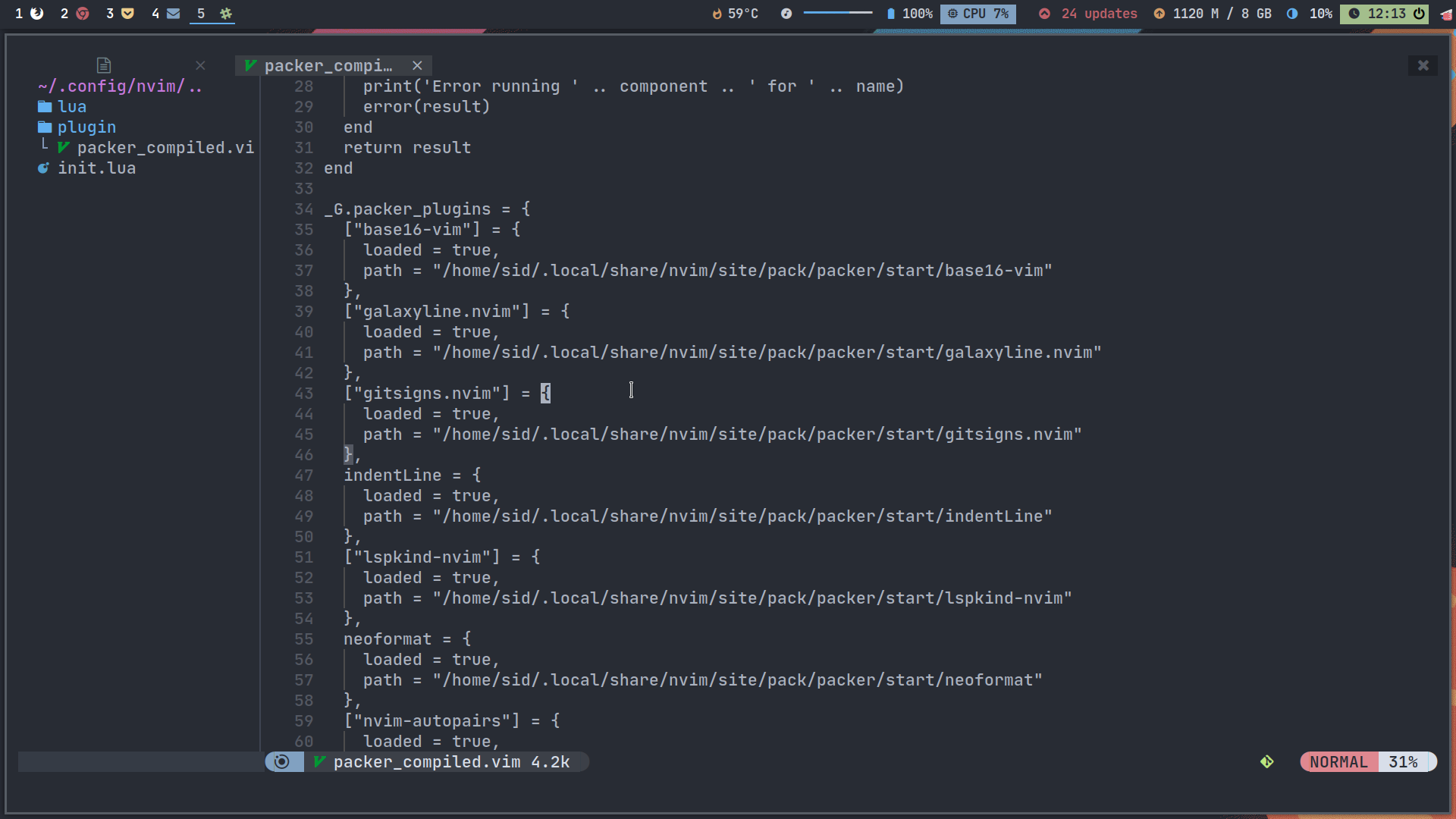
if you get any errors with packer.nvim , then remove the ~/.config/nvim/plugin/packer_nvim.vim file since it just has file paths for my system
and re-install packer.nvim
I'd install it first and add its setup line :
`` -- in /lua/nvim-lspconfig/lua.lua file
require'lspconfig'.clangd.setup{} ``
# Default Mappings to make stuffs easier!
space is the leader key
- Ctrl b Open terminal vertically over right
- Ctrl x Open terminal horizontally below the current window
- Ctrl n toggle neovim tree
- Ctrl a copies everything in the current file
- select any text + y copies the selected text
- leader + f b open all buffers , with telescope
- leader + f p search and preview images with telescope
- leader + f f find files in the current DIR , with telescope
- leader + f o open recently edited files , with telescope
- leader + f f find files in the current DIR , with telescope
- leader + f h opens up a manpage like thing but for all vim related things , with telescope
- leader + f m formats or beautifies the code in current window via neoformat
(currently only html ,css , js can be formatted . To be able to use this keybind you need to install the formatter locally for your language , in my case prettier was required only so I installed it. check this https://github.com/sbdchd/neoformat).
# TODO
- add snippets support
- show statusline in inactive windows
# Troubleshooting -

if you get any errors with packer.nvim , then remove the ~/.config/nvim/plugin/packer_nvim.vim file since it just has file paths for my system
and re-install packer.nvim